This is a deliberately fake article used to exercise the journal’s presentation. The examples below are not findings about a real device; they are here so the site has something representative to render while it is being built.
It also doubles as a reference for future posts. Normal prose can include bold text, emphasis, links, and short pieces of inline code without doing anything special.
Good technical writing should make it obvious what was observed, what was inferred, and what is still unknown.
Table of contents
Open Table of contents
Headings and anchors
Sections get stable anchor links automatically. On desktop, hovering a heading reveals the link control so a specific part of a long writeup can be shared directly.
Smaller subsections
Third-level headings work for details that belong inside a larger section. They should be used sparingly so a post does not turn into an outline with paragraphs between every line.
Code blocks
Fenced blocks get syntax highlighting and a copy button. A file attribute adds a filename label.
from pathlib import Path


def looks_like_config(data: bytes) -> bool:
    sample = data[:48]
    return all(byte == 0 or 0x20 <= byte <= 0x7E for byte in sample)


payload = Path("backup.bin").read_bytes()
print(looks_like_config(payload))scanner.py
Plain-text blocks are useful for offsets, packets, command output, and formats where language highlighting would add noise.
+0x00  magic       uint32 little-endian
+0x04  length      uint32 little-endian
+0x08  checksum    uint32 little-endian
+0x0c  payload     length byteslayout.txt
Highlighting important lines
The code renderer also supports annotations for diffs and line highlights.
def decode(data: bytes) -> bytes:
    return data
    return bytes(b ^ 0x5A for b in data)

header_size = 12
payload = decode(blob[header_size:])before-and-after.py
Specific words can be emphasized too:
candidate_seed = 0x12345678Callouts
Callouts are for information that should stand apart from the main flow without becoming a giant warning banner.
A note is good for context that is useful but not essential to following the argument.
A tip can hold a shortcut, a debugging trick, or a more convenient way to reproduce something.
A warning should be reserved for something a reader can realistically get wrong or damage by following blindly.
Lists and checklists
Bulleted lists work well for observations that do not need a table:
- the file starts with a fixed-size header;
- the payload length matches one of the header fields;
- repeated backups share long regions of identical bytes;
- changing one setting only affects a small part of the decoded data.
Numbered lists are better when order matters:
- make two backups that differ by one setting;
- compare them byte-for-byte;
- isolate the changed region;
- form a hypothesis;
- test it against another backup.
Task lists can be used for work that is still in progress:
- identify the outer header
- reproduce the checksum
- explain the final sixteen bytes
- test another firmware version
Tables
Tables are useful when the reader needs to compare structured values quickly.
| Offset | Size | Meaning | Confidence |
|---|---|---|---|
0x00 | 4 | magic | confirmed |
0x04 | 4 | payload length | confirmed |
0x08 | 4 | checksum field | likely |
0x0c | variable | encoded payload | confirmed |
The labels in this demo are fictional. A real post should say exactly how each field was established.
Images and diagrams
Markdown images are centered and constrained by the article width. The image below is a tiny local SVG included only to test image rendering.
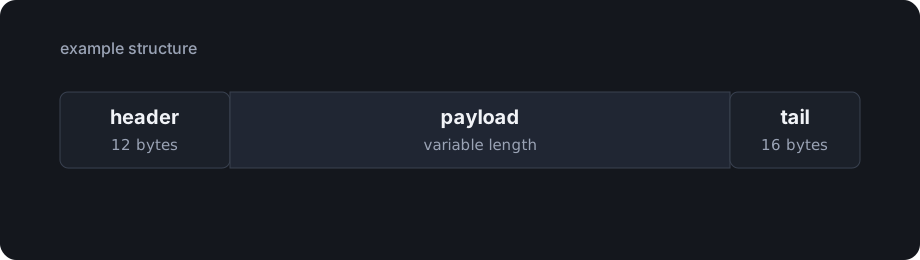
Captions can be written directly beneath an image when an explanation is useful.
A deliberately simplified file-layout diagram for the feature tour.
Collapsible details
Long supporting material can be tucked away when it would interrupt the main argument.
Example raw bytes
4a 52 4e 4c 20 00 00 00 8d 33 8e b5 6b 65 79 3d
76 61 6c 75 65 00 6f 74 68 65 72 3d 76 61 6c 75
65 00 00 00 00 00 00 00 00 00 00 00 00 00 00 00
That keeps evidence available without forcing every reader through it.
Inline technical notation
Commands, paths, identifiers, and values can stay inline: run python scanner.py backup.bin, inspect /tmp/output.bin, or compare a value such as 0xffffffff without breaking the paragraph into a code block.
Horizontal rules can separate a true change of subject when a heading would be excessive.
This is the second half of the demonstration after a horizontal rule.
What a real post should include
A finished journal entry does not need to use every feature above. Most should be mostly prose, with formatting added only when it makes evidence easier to understand.
For technical investigations, the useful baseline is:
- what question started the investigation;
- the exact environment or version when it matters;
- the evidence that led to each conclusion;
- commands or code needed to reproduce the result;
- failed hypotheses when they teach something useful;
- uncertainty that has not been resolved yet.
The goal is not to make every post look complicated. The goal is to have enough tools available when a complicated subject actually needs them.
Site features around the article
The journal also generates the surrounding publication machinery automatically. This post is intentionally tagged journal, demo, and formatting, so it appears on the tags page. Its body is indexed by the journal’s search, and it is included in the rss feed.
Every public post also gets:
- a canonical URL;
- article metadata for search engines;
- an automatically generated Open Graph image for link previews;
- an entry in the sitemap;
- previous/next navigation once there is more than one post;
- a link back to its source on GitHub;
- an rss entry and full-text search indexing.
Those pieces are generated from the same frontmatter that controls the title, description, publication date, tags, draft status, and featured state. The article itself stays a plain Markdown file in Git.